
Connect LinkedIn Conversions API & set up conversion tracking
This guide walks you through linking the LinkedIn Conversions API (Direct API) to FunnelTrack and routing your conversion events server-side — so you can measure campaign performance and optimize for qualified leads.
- •Admin access to your LinkedIn Campaign Manager ad account
- •Your LinkedIn Account ID (visible in the URL of Campaign Manager)
- •The FunnelTrack pixel and the LinkedIn Insight Tag deployed on every page of your funnel
- •About 10–15 minutes
Connecting to LinkedIn
Link FunnelTrack to your LinkedIn ad account via the Direct API so we can send conversions server-side.
Find your LinkedIn Account ID
In LinkedIn Campaign Manager, your Account ID is the number in the URL — for example, linkedin.com/campaignmanager/accounts/537340240/…. It's also shown on the profile card on the left below your business name.
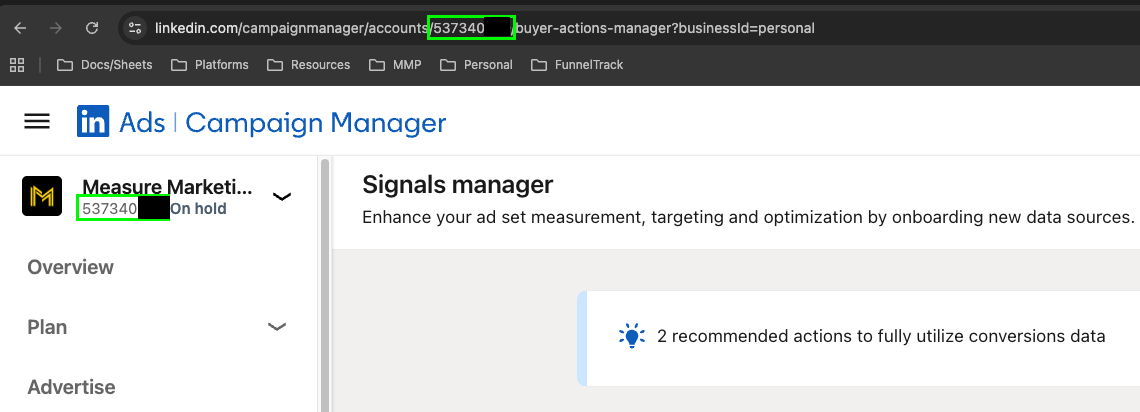
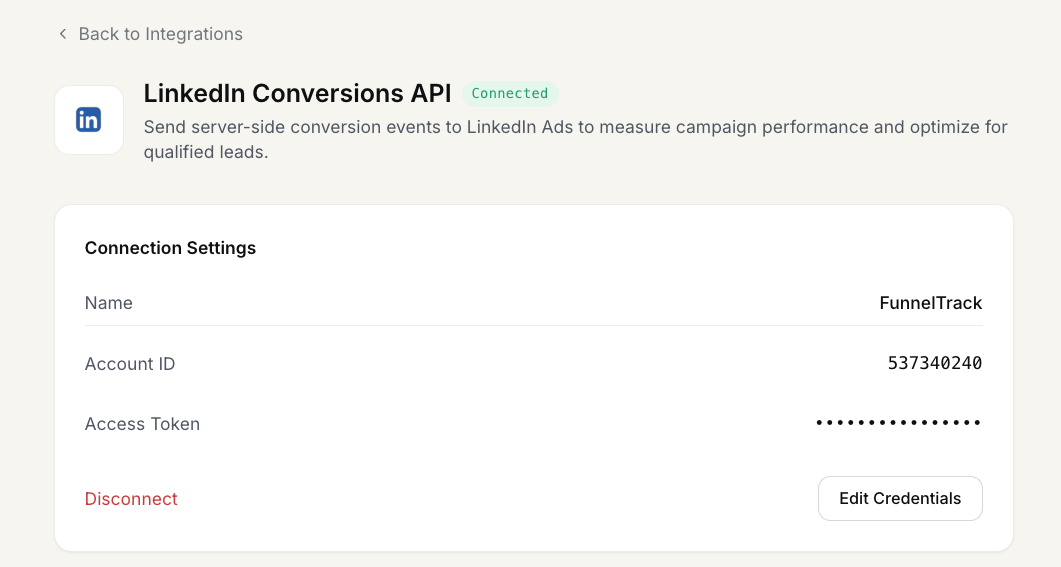
Copy the digits and paste them into the Account ID field on the LinkedIn Conversions API integration page in FunnelTrack.
Generate a Direct API access token
In Campaign Manager's left nav, go to Measure → Signals manager. Under Sources → Connected, select Direct API.
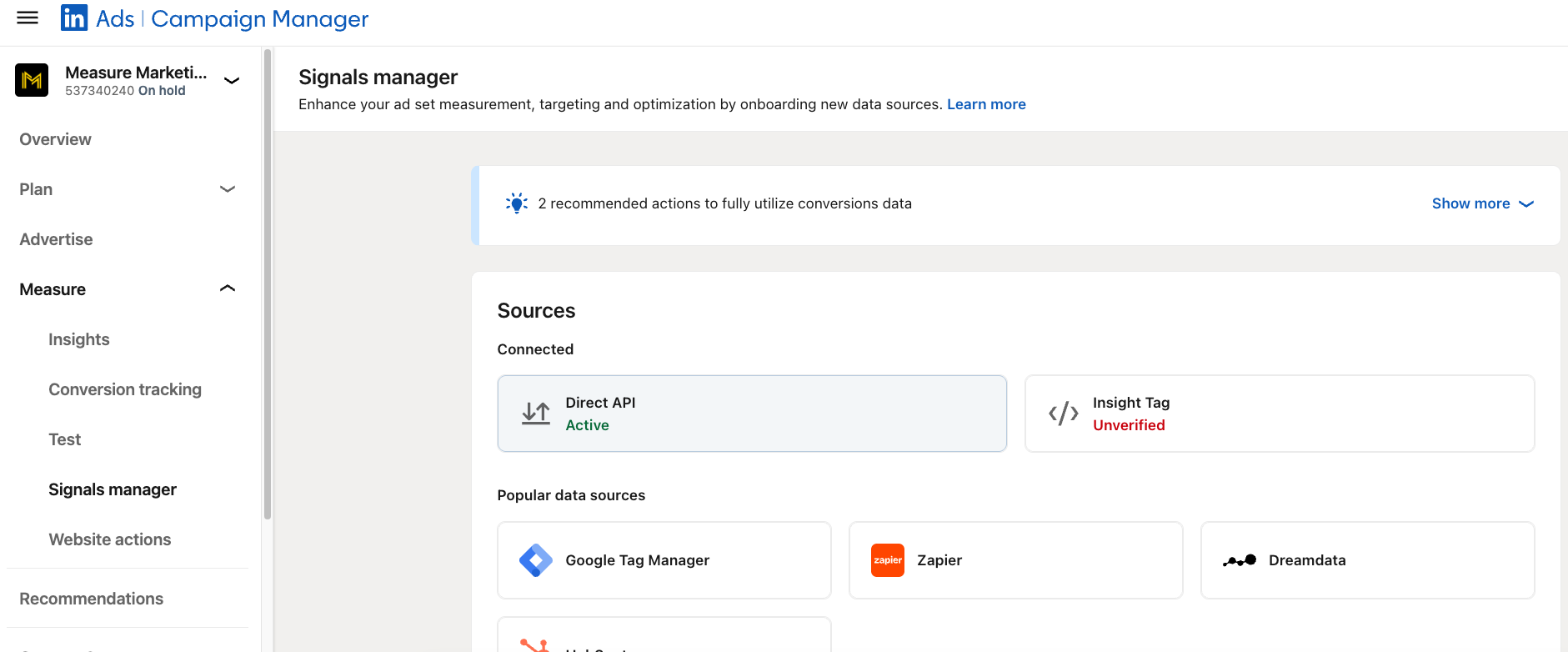
Open the Direct API access token panel and click Generate access token.

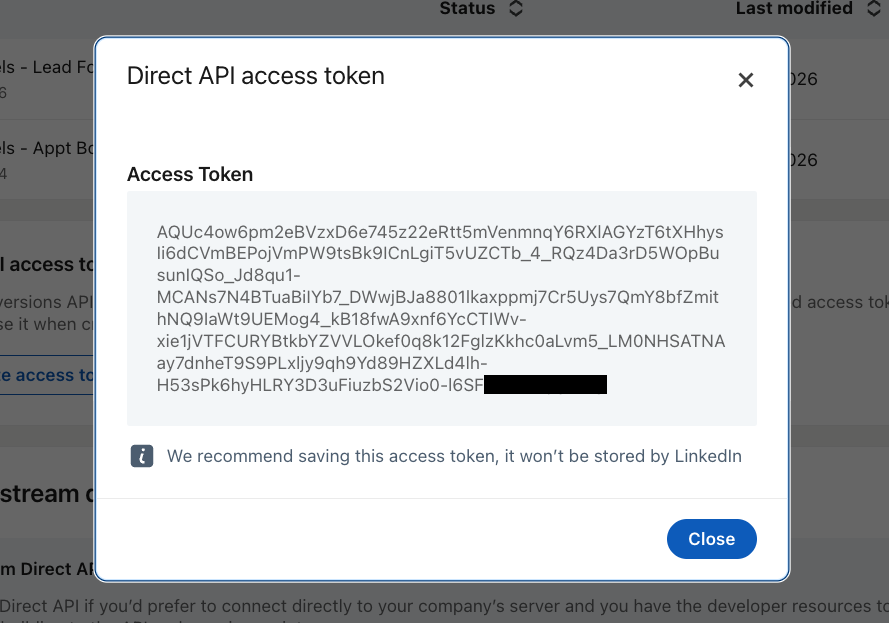
LinkedIn will show your access token once in a modal — copy it immediately, LinkedIn won't store it for you to retrieve later. Paste it into the Access Token field in FunnelTrack.
Click Connect in FunnelTrack
With Account ID and Access Token filled in, click Connect. Your LinkedIn Conversions API destination is now wired up — next we'll route events to it.
Setting up conversion tracking
Create your conversions in LinkedIn, then map each FunnelTrack event to its Conversion Rule ID.
Deploy the FunnelTrack pixel
Make sure the FunnelTrack pixel is deployed on every page of your website and any landing pages. You'll find the script and a verification status in the Pixel section of your FunnelTrack account.
Deploy your LinkedIn Insight Tag
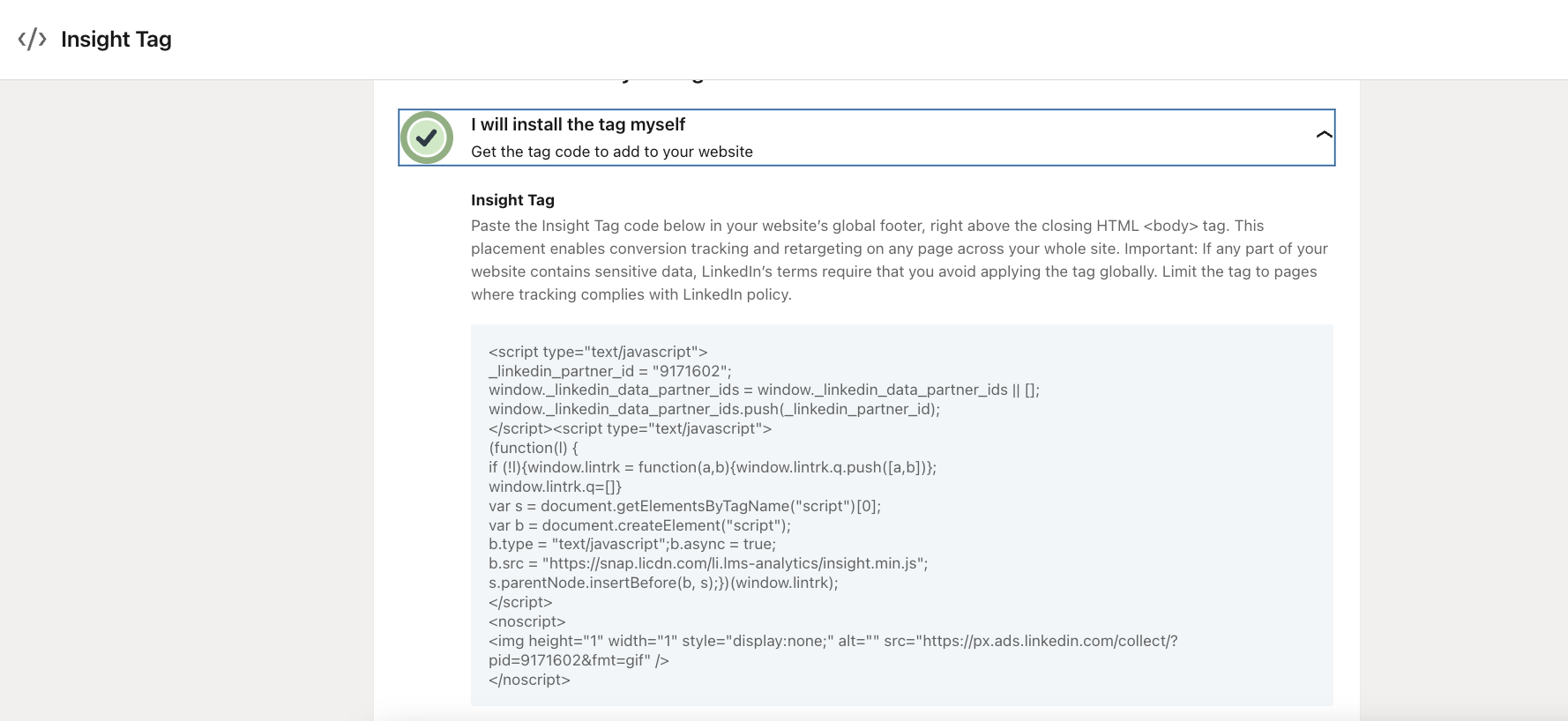
LinkedIn also needs its own client-side Insight Tag on every page of your funnel to capture browser-side activity that pairs with the server-side conversions FunnelTrack sends. Paste the Insight Tag in the <head> of every page (or via your tag manager).
Enable an event template (or create a custom one)
In FunnelTrack, open the source you want to route to LinkedIn (e.g., ClickFunnels → LinkedIn Conversions API). Toggle on a recommended event template, or click + Add More Events to create a custom one.
Create a Conversions API conversion in LinkedIn
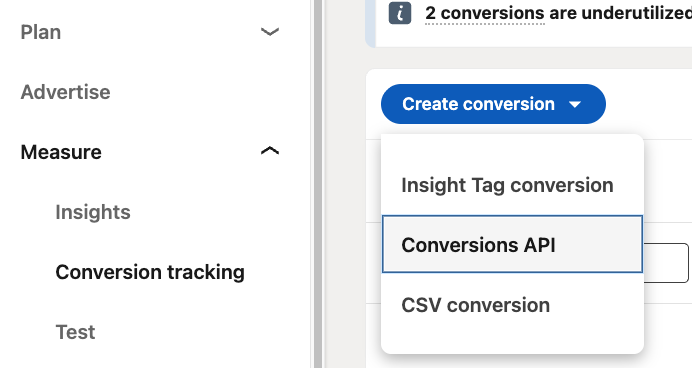
In Campaign Manager, go to Measure → Conversion tracking and click Create conversion. From the dropdown, choose Conversions API as the conversion type.
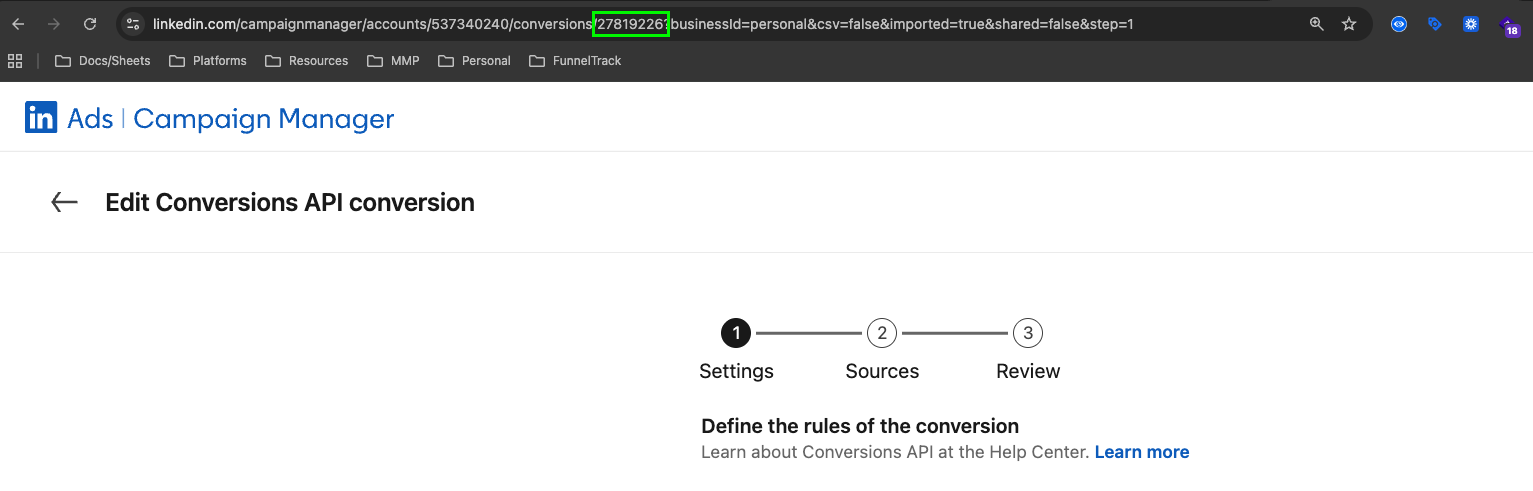
Walk through the wizard to define the conversion (name, value, attribution window, etc.). After it's created, click back into the conversion to edit it. The Conversion Rule ID lives in the URL — e.g. ...conversions/278192262?businessId=…. Copy the digits.
Map the event in FunnelTrack
Back in FunnelTrack on the LinkedIn routing page, paste the conversion name and the Conversion Rule ID into the matching event card. Repeat for every event you want LinkedIn to count.
(Optional) Add custom event parameters, user parameters & firing conditions
Attach custom event parameters, user parameters, or gate events behind specific conditions (e.g., only fire Purchase when the order value is over $100). Click + Add Custom Parameters or + Add Condition on the event card.
conversionValue) and user properties (per-user attributes like hashed email or LinkedIn member ID). FunnelTrack supports both — set them explicitly on each event card.Save your changes
Click Save Configuration at the top of the routing page. Your event map is now live — every matching source event will be sent to LinkedIn Conversions API from this moment on.
Test & verify
Trigger the action on your website (submit the form, complete the checkout, etc.). Then open Event Delivery Log in FunnelTrack. You should see two rows for each event: an IN row showing FunnelTrack received the source event, and an OUT row showing the dispatch to LinkedIn marked delivered.
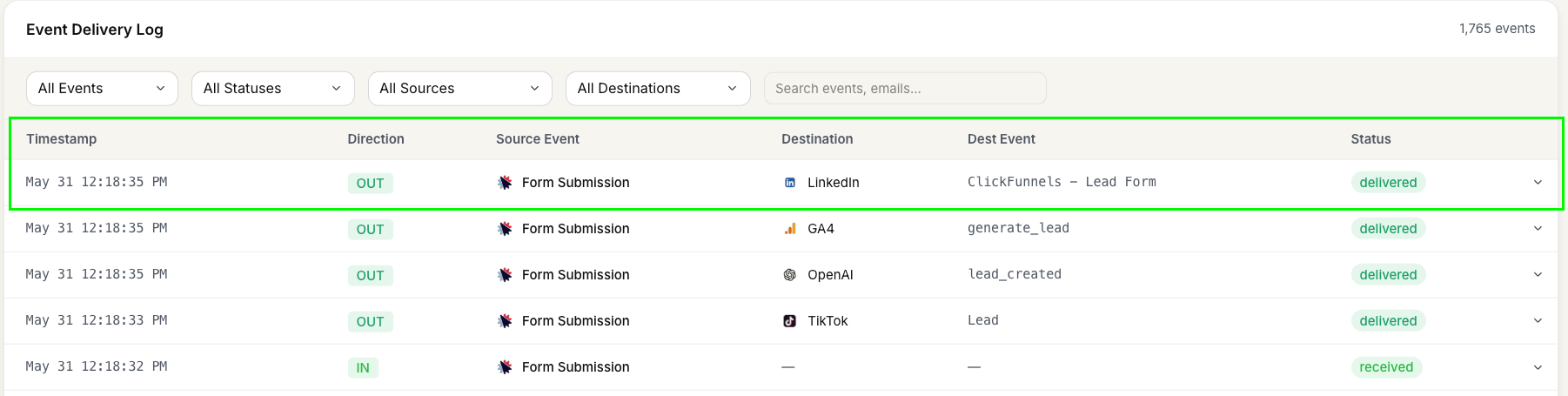
delivered status in the FunnelTrack log confirms the handoff to LinkedIn succeeded.Need a hand?
If anything in this guide didn't match what you're seeing in LinkedIn Campaign Manager or FunnelTrack, open a support ticket in your dashboard and we'll get you sorted.