
Connect CallRail & track inbound calls
FunnelTrack receives CallRail's Post-Call webhook the moment a tracked call ends and fires two distinct events — New Caller and Returning Caller— based on CallRail's first_callflag. Attribution matches the call to the visitor's FunnelTrack pixel session using CallRail's own calltrk_session_idcookie, and falls back to a caller phone + IP match (and CallRail's last-touch data) when there's no pixel session — for example on a direct dial.
- •A CallRail account with Admin access to Settings → Integrations
- •The FunnelTrack pixel deployed on all site pages
- •The CallRail JavaScript snippet deployed on all site pages
- •At least one connected destination (Meta CAPI, Google Ads, GA4, etc.)
- •About 10 minutes
Setup
Deploy the FunnelTrack pixel and the CallRail JavaScript snippet, connect CallRail in FunnelTrack, add a Post-Call webhook in CallRail pointing at the URL we generate, include the caller IP, then configure conversions and verify.
Add the FunnelTrack pixel to your site
From the Pixel section of FunnelTrack, copy your pixel snippet and deploy it on every page — especially the pages where the CallRail swap script runs and where your click-to-call buttons live.
calltrk_session_idcookie. Our pixel reads that cookie on the visitor's page and /api/collectstamps it on the session, so when CallRail delivers the call (with the same session ID in the payload) we match it 1:1 to the pixel session — and ship every ad click ID from that session to your destinations. If the pixel isn't on the page when a visitor browses, the call still comes through, but we fall back to a caller phone + IP match and CallRail's own source / campaign / medium data.Deploy the CallRail JavaScript snippet
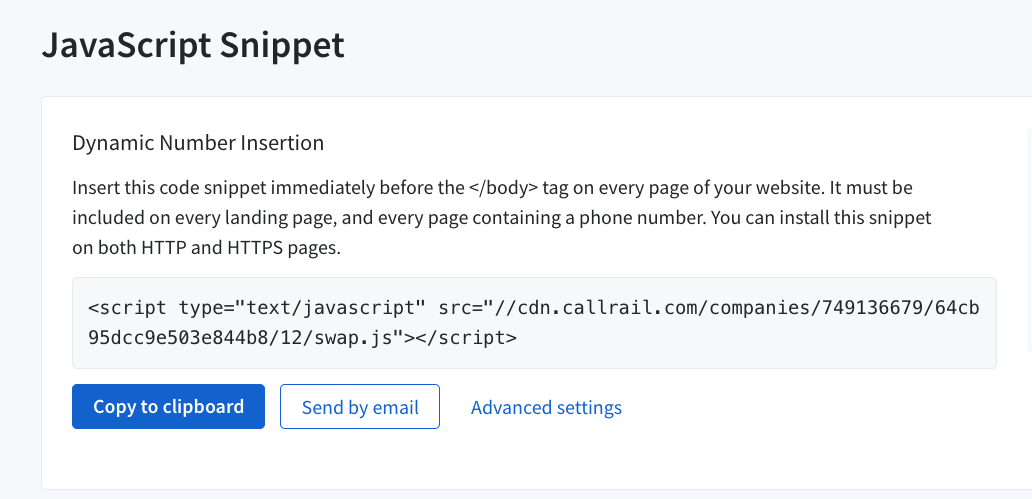
CallRail needs its own tracking snippet (the Dynamic Number Insertion swap script) on your site so it can attach a calltrk_session_idto each visitor — the same ID FunnelTrack's pixel reads. In CallRail, open Settings → Integrations → JavaScript Snippet and copy the snippet. Paste it immediately before the closing </body> tag on every page of your site — every landing page and every page that shows a phone number.
Connect CallRail in FunnelTrack
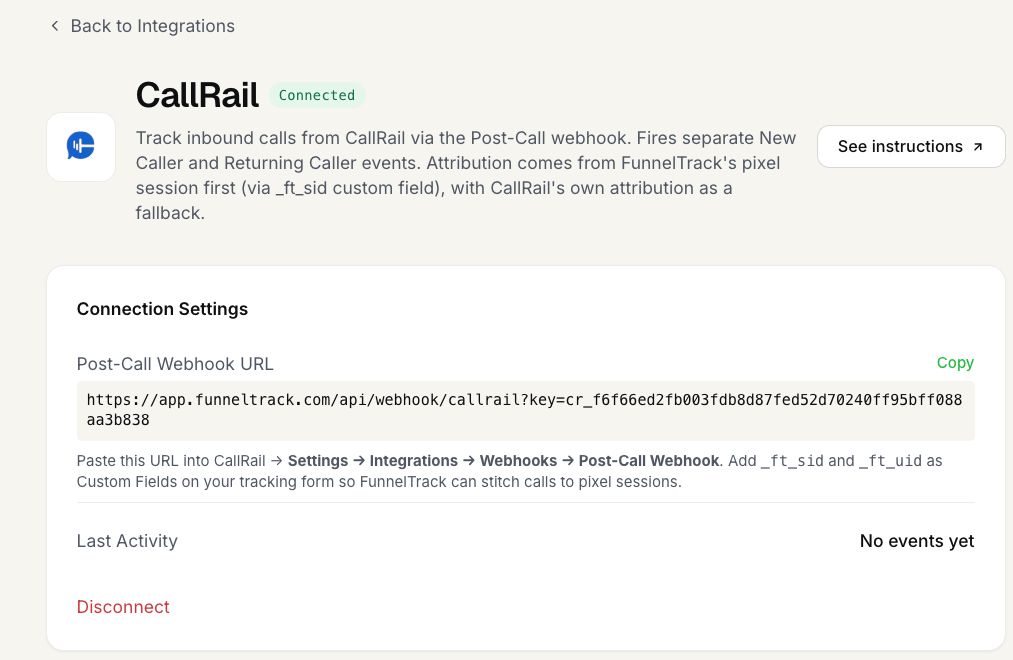
In FunnelTrack, open Integrations → Sources → CallRail and click Connect CallRail. FunnelTrack generates a workspace-scoped Post-Call webhook URL that looks like this:
https://app.funneltrack.com/api/webhook/callrail?key=YOUR_WORKSPACE_KEYCopy the exact URL shown in your workspace — you'll paste it into CallRail in the next step.
Add a Post-Call webhook integration in CallRail
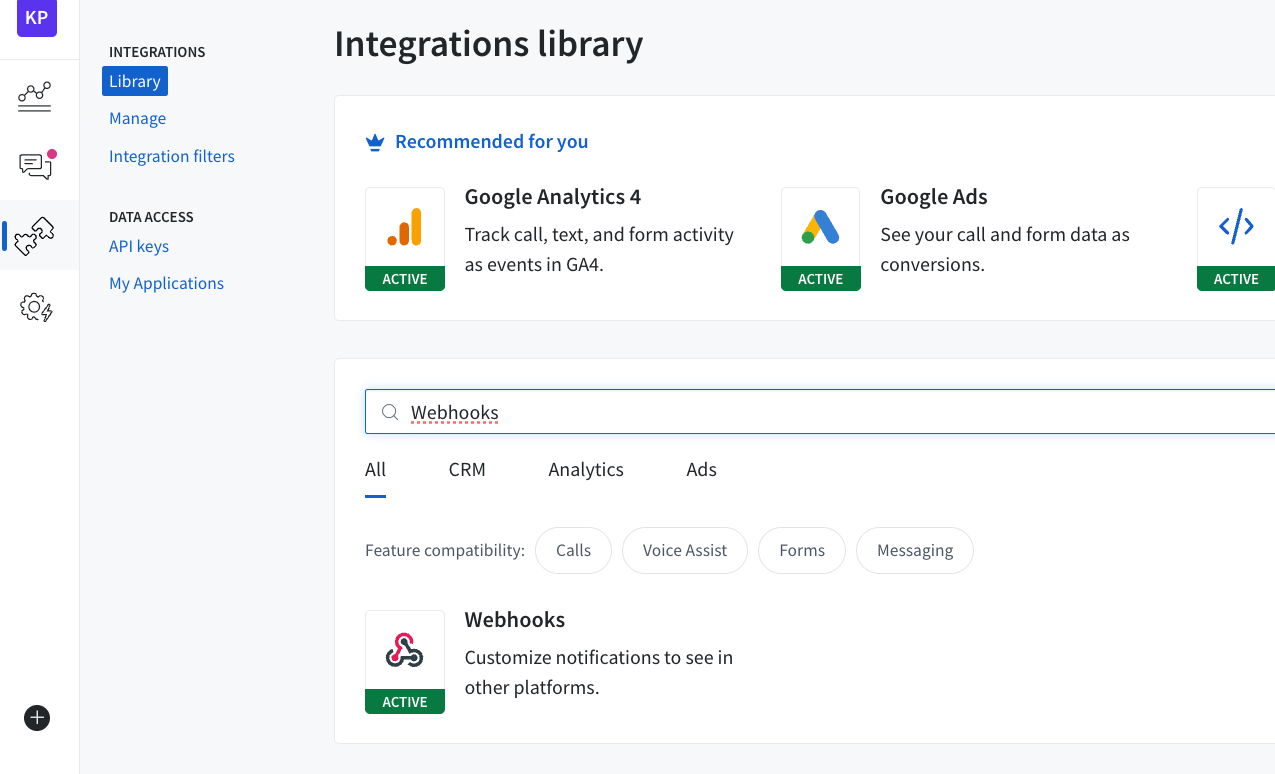
In CallRail, go to Settings → Integrations → Library, search for Webhooks, and open the Webhooks integration.
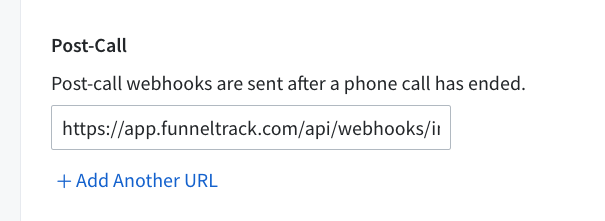
Under Post-Call, paste the FunnelTrack webhook URL you copied in Step 3 as the endpoint / Post-Call Webhook URL, then save and activatethe integration. FunnelTrack fires conversions after the call ends, so it uses the completed-call payload (duration, disposition, transcription, value, and CallRail's session_uuid). Once it's live, CallRail posts every completed call to that URL — new callers, returning callers, missed calls, everything.
Include the caller IP in the webhook payload
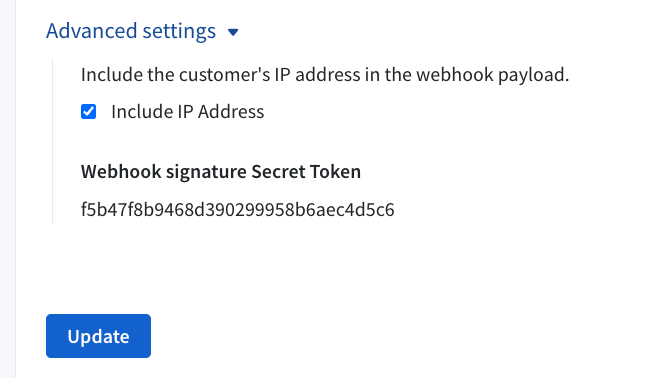
Enable the caller IP field on the webhook payload. When a call arrives with no calltrk_session_idmatch (a direct dial, say), FunnelTrack uses the caller's IP together with a hash of their phone number as a last-resort match against the visitor's session — so including IP meaningfully improves recovery on calls that would otherwise be unattributed.
Configure conversions
As soon as you connect the source, FunnelTrack seeds event cards in your workspace:
- •New Caller — fires whenever CallRail sets
first_call: true. This is your primary lead conversion for phone-driven acquisition. - •Returning Caller — fires whenever CallRail marks the call as a repeat ring. Useful for retention audiences or excluding repeat calls from lead cost calculations.
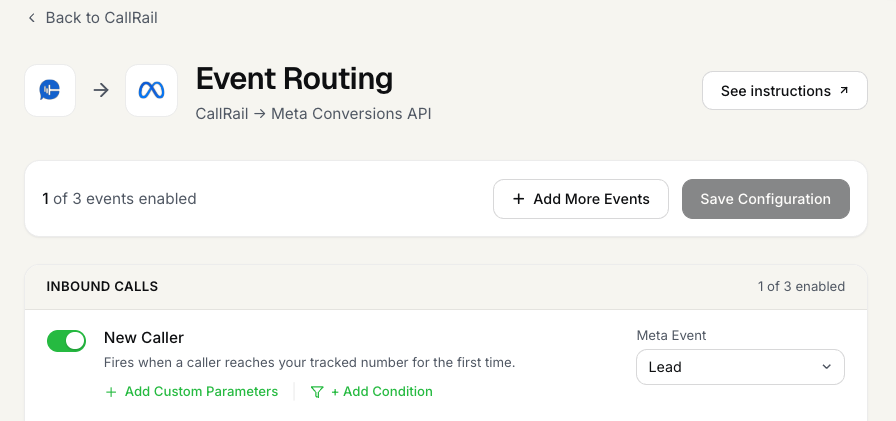
Open any connected destination's routing page (e.g. CallRail → Meta Conversions API), toggle on the cards you want, and pick the destination event for each — Meta's Lead, a Google Ads conversion action, and so on — then save.
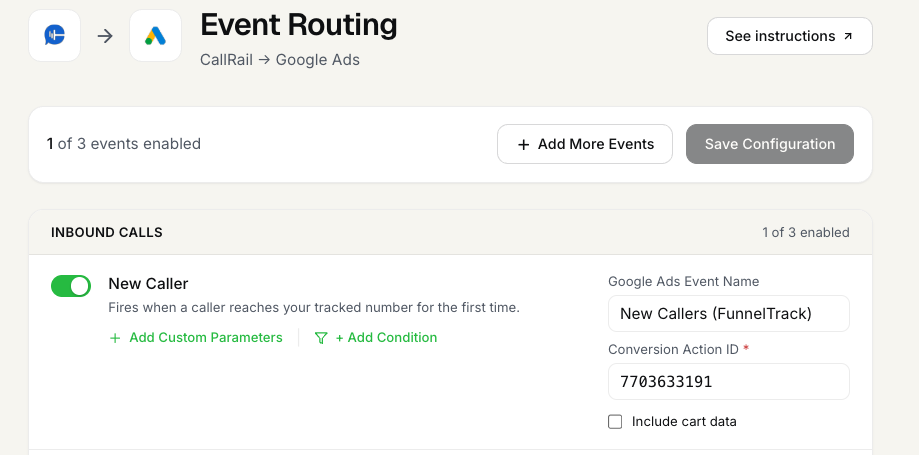
For platforms that need a conversion identifier (like Google Ads), fill in the destination event name and Conversion Action ID on the card, then save.
first_call flag) and fires the matching card, so you route each outcome to the right conversion.Verify in your logs
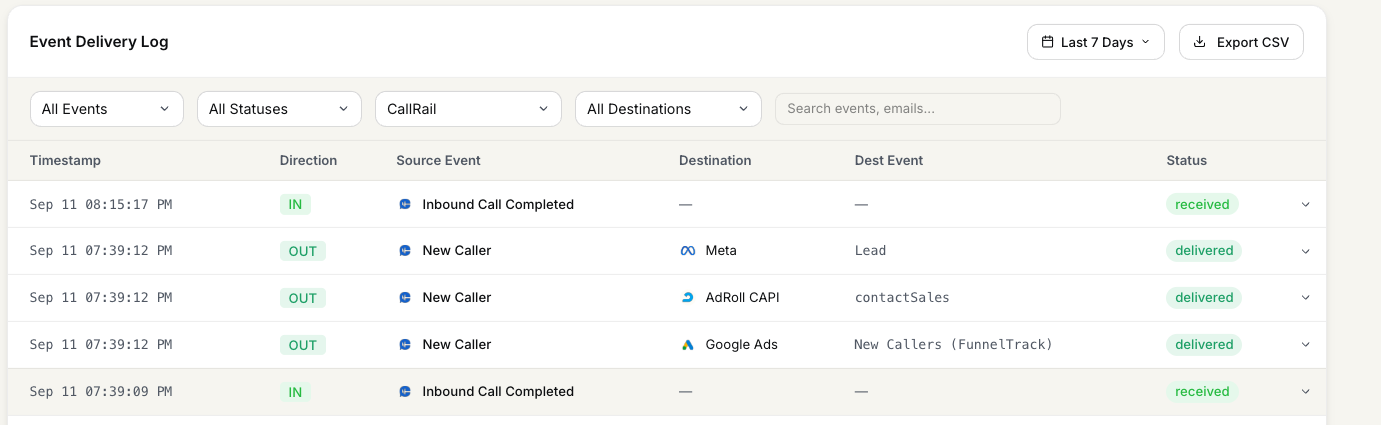
Place a real inbound call to your CallRail tracked number, then open the Event Delivery Log and filter the source to CallRail. Within a few seconds you should see an IN row tagged Inbound Call Completed (received), plus an OUT row per destination showing the dispatched conversion (e.g. Meta Lead) marked delivered.
Notes & best practices
Details worth knowing before you scale this to every tracked number in your account.
- •Post-Call fires once per call. CallRail waits for the call to end before posting, so you get the full payload — duration, disposition, voicemail flag, transcription, value — in a single delivery.
- •New vs Returning is decided by CallRail, not FunnelTrack. We route the trigger based on the
first_callfield on the payload. If CallRail marks it as first, we firecallrail_new_caller; otherwisecallrail_returning_caller. Don't deduplicate these upstream — CallRail already does that for us. - •Attribution: FunnelTrack first, CallRail as fallback. When the call carries a matching
calltrk_session_id, we look up the pixel session and use itsft_*/utm_*/ click IDs. Only when that lookup fails do we fall back to a phone + IP match and then CallRail's ownmilestones.last_touchblock. You'll see both stamped on the event for debugging. - •Call value → conversion revenue. If you set a call value in CallRail (either manually or via lead scoring rules), FunnelTrack reads the numeric
valuefield and stamps it on the event asrevenue. Destinations that accept a value (Meta CAPI, Google Ads offline conversions, TikTok Events API) will receive it automatically. - •Missed calls / voicemails still fire.Any completed call — answered, missed, voicemail, abandoned — fires a Post-Call webhook. If you don't want those events firing to ad platforms, use FunnelTrack's Conditions on the event card to filter by
answered,duration, orvoicemail.
Events we support
The trigger keys CallRail sends to FunnelTrack, and the event cards you can enable.
- •
callrail_new_caller— fired when the Post-Call payload hasfirst_call: true(ortotal_calls === 1/prior_calls === 0on older payloads). - •
callrail_returning_caller— fired for every other call from a caller CallRail has seen before.
- •All Calls — the workspace-wide catch-all (
callrail_all_calls). Fires on every completed call regardless of new vs returning. Useful for a CRM sync that should capture everything. - •New Callers — fires only on first-time callers. Your primary lead conversion for phone-driven acquisition.
- •Returning Caller — fires on repeat callers. Good for retention audiences or excluding repeat rings from lead-cost math.
FAQs
first_call is true. We use CallRail's flag directly rather than computing it ourselves.calltrk_session_idto match, so we can't attach a pixel session. FunnelTrack still fires the event and matches on the caller's IP + phone hash, then falls back to CallRail's own last-touch attribution. Including the caller IP in the webhook payload (Step 5) is what gives these calls the best chance of a confident match.duration > 60 or answered === true. The event still logs on the inbound side; conditions decide what actually dispatches to ad destinations.session_uuid, customer_phone_number, duration, milestones.last_touch, and every field CallRail sent.Ready to set it up?
Jump into your FunnelTrack workspace and wire up CallRail in about ten minutes.
Configure your CallRail integration →Need a hand?
If anything in this guide didn't match what you're seeing in CallRail or FunnelTrack, open a support ticket in your dashboard and we'll get you sorted.