Connecting Duda Forms to FunnelTrack with Zapier
Duda doesn't send form submissions to FunnelTrack directly, so we bridge them with Zapier: Duda triggers a Zap on every submission, and the Zap forwards it to a FunnelTrack custom webhook. To tie each submission back to the visitor's ad session, you add two hidden fields — ft_sid and ft_uid — that the FunnelTrack pixel fills in automatically.
What you'll need
- •A Zapier premium plan — the Duda trigger and Webhooks by Zapier action both require a paid Zapier plan
- •Site Admin access to your Duda site
Prepare your Duda site
Deploy the FunnelTrack pixel, add the injector, and add two hidden fields so every submission carries the visitor's session.
Add the FunnelTrack pixel
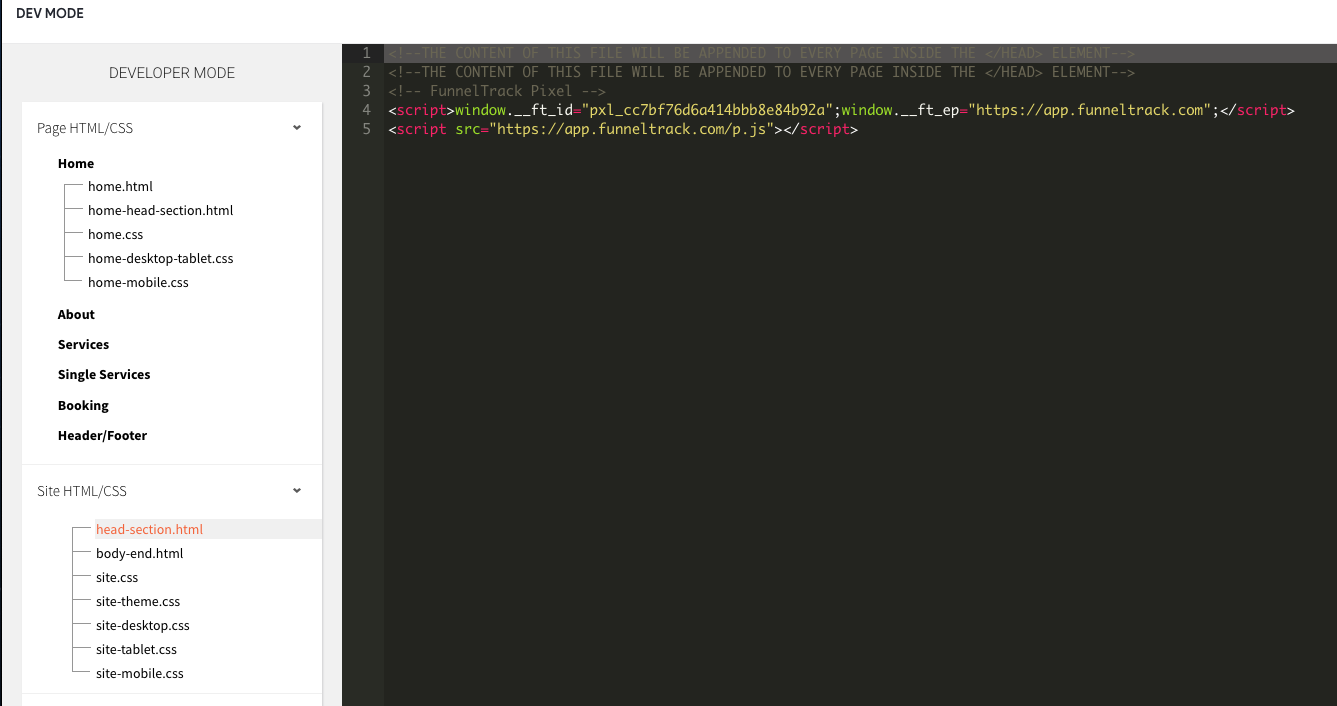
In Duda, open Site → Settings → Head HTML (or your site-wide header) and paste the FunnelTrack pixel at the top of the <head>so it loads on every page. You'll find your pixel script in the Pixel section of FunnelTrack.
Add the ft_sid / ft_uid injector script
Add this injector to your site's body-end.html(Duda's site-wide end-of-body custom code) so it runs after the form loads. It reads the visitor's session and visitor IDs from the pixel and writes them into two hidden form fields (matched by label) right before submit — so the values ride along in every submission.
<script>
(function () {
  "use strict";
  var LABELS = { sid: "ft_sid", uid: "ft_uid" };
  function getIds() {
    var ft = window.ft || window.tracker;
    if (!ft) return { sid: "", uid: "" };
    return {
      sid: typeof ft.getSessionId === "function" ? ft.getSessionId() || "" : "",
      uid: typeof ft.getUserId === "function" ? ft.getUserId() || "" : "",
    };
  }
  function inputsForLabel(label) {
    var out = [], seen = [];
    function add(el) {
      if (!el || el.tagName !== "INPUT") return;
      if (seen.indexOf(el) !== -1) return;
      seen.push(el); out.push(el);
    }
    var lower = label.toLowerCase();
    var wrappers = document.querySelectorAll('.advanced-form-field[data-label], .advanced-form-field[label]');
    for (var i = 0; i < wrappers.length; i++) {
      var w = wrappers[i];
      var wl = (w.getAttribute("data-label") || w.getAttribute("label") || "").trim().toLowerCase();
      if (wl === lower) { var inp = w.querySelector("input"); if (inp) add(inp); }
    }
    var labelEls = document.querySelectorAll("label");
    for (var j = 0; j < labelEls.length; j++) {
      var le = labelEls[j];
      if ((le.textContent || "").trim().toLowerCase() !== lower) continue;
      var forId = le.getAttribute("for");
      if (forId) { var byFor = document.getElementById(forId); if (byFor) add(byFor); }
      var sib = le.parentNode ? le.parentNode.querySelector("input") : null;
      if (sib) add(sib);
    }
    var direct = document.querySelectorAll('input[name="' + label + '"], input#' + label);
    for (var k = 0; k < direct.length; k++) add(direct[k]);
    return out;
  }
  function setField(el, value) {
    if (!el || !value || el.value === value) return;
    el.value = value;
    try {
      el.dispatchEvent(new Event("input", { bubbles: true }));
      el.dispatchEvent(new Event("change", { bubbles: true }));
    } catch (e) {}
  }
  function fill(sid, uid) {
    var i, fields;
    if (sid) { fields = inputsForLabel(LABELS.sid); for (i = 0; i < fields.length; i++) setField(fields[i], sid); }
    if (uid) { fields = inputsForLabel(LABELS.uid); for (i = 0; i < fields.length; i++) setField(fields[i], uid); }
  }
  function run() {
    var v = getIds();
    fill(v.sid, v.uid);
    if (typeof MutationObserver !== "undefined") {
      var observer = new MutationObserver(function () {
        var cur = getIds(); if (cur.sid || cur.uid) fill(cur.sid, cur.uid);
      });
      observer.observe(document.body || document.documentElement, { childList: true, subtree: true });
    }
    var start = Date.now();
    (function poll() {
      var cur = getIds(); if (cur.sid || cur.uid) fill(cur.sid, cur.uid);
      if (Date.now() - start < 10000) setTimeout(poll, 200);
    })();
    document.addEventListener("submit", function () {
      var cur = getIds(); fill(cur.sid, cur.uid);
    }, true);
  }
  if (document.readyState === "loading") document.addEventListener("DOMContentLoaded", run);
  else run();
})();
</script>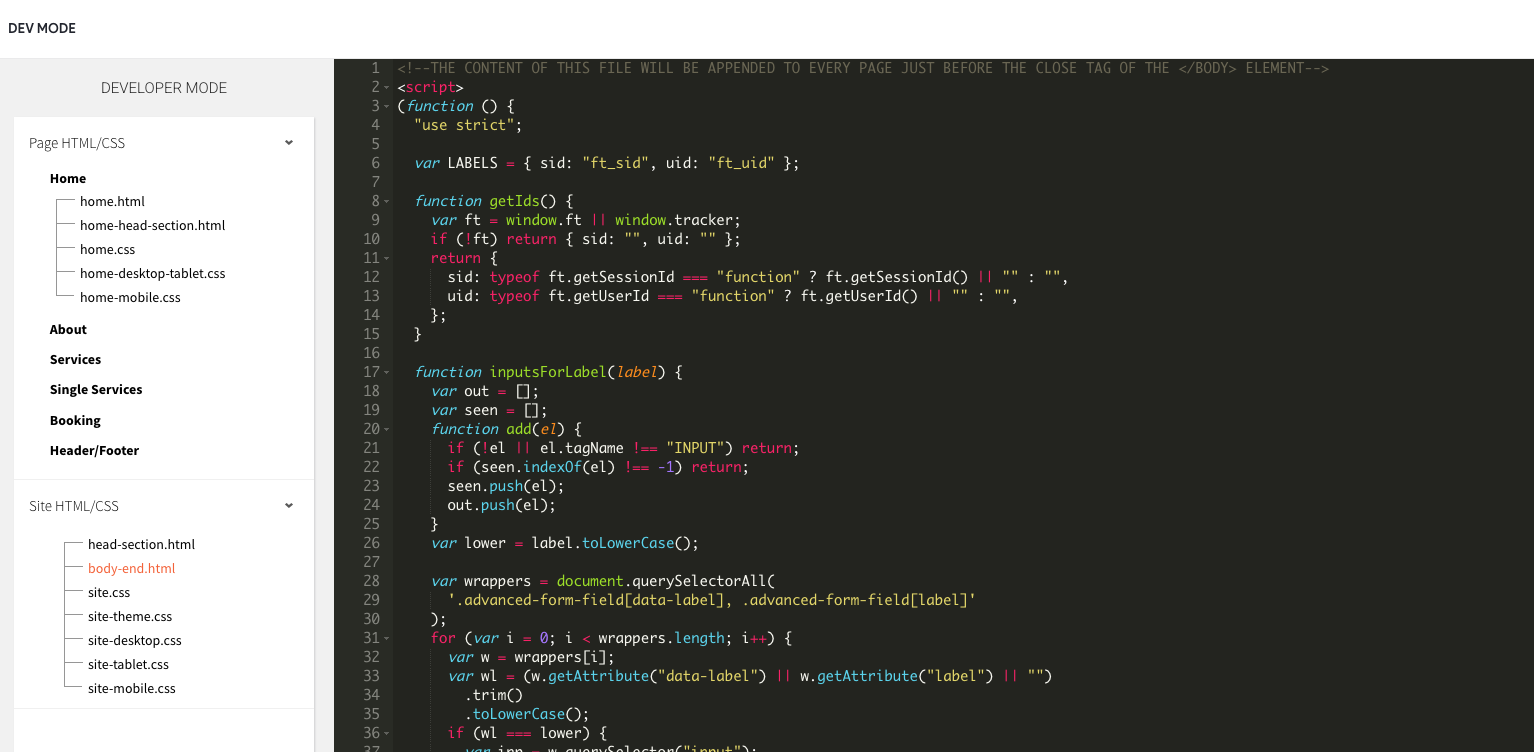
Add two hidden fields to your form
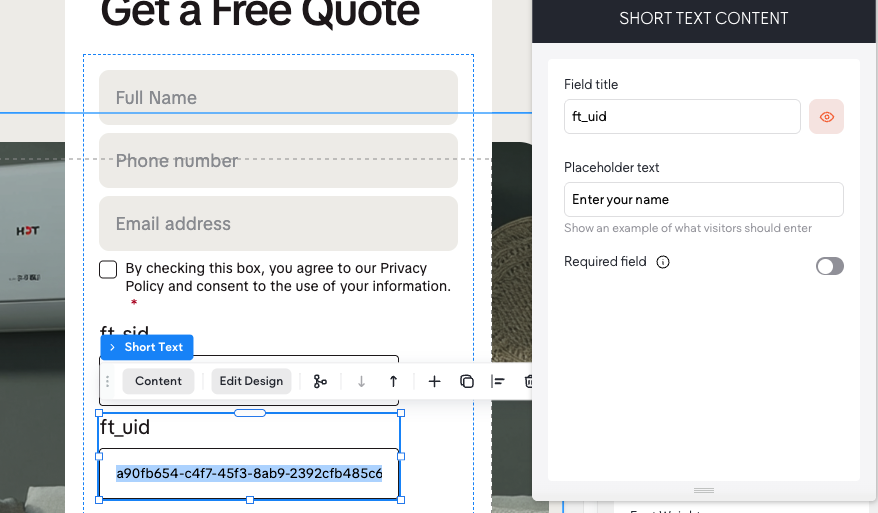
In the Duda form editor, add two Short Text fields.
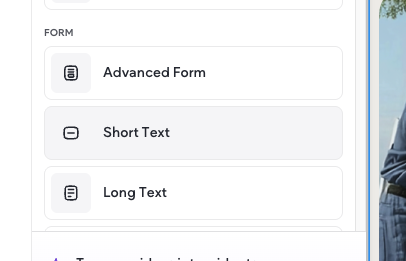
Label them exactly as below — the injector matches by the field's label, since Duda's field names are auto-generated numbers:
ft_sidft_uid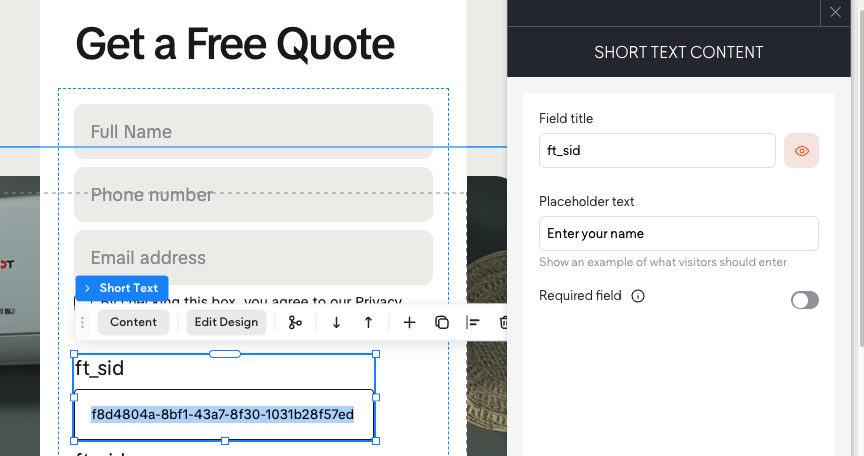
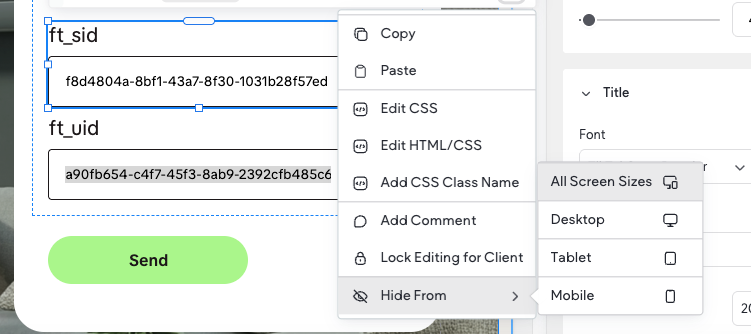
Hide the two fields
Hide both fields so visitors don't see them. In the Duda editor, right-click each field and choose Hide From → All Screen Sizes. The values are still submitted — they're just not visible.
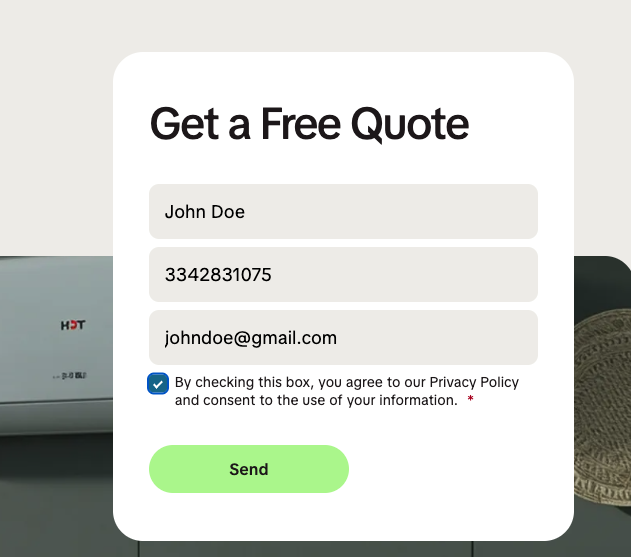
Submit a test form submission
On your published page, submit a real test entry so the hidden ft_sid / ft_uidfields carry live values. You'll pull this submission into Zapier in the next part.
Create the FunnelTrack custom webhook
This is the endpoint Zapier will POST each submission to.
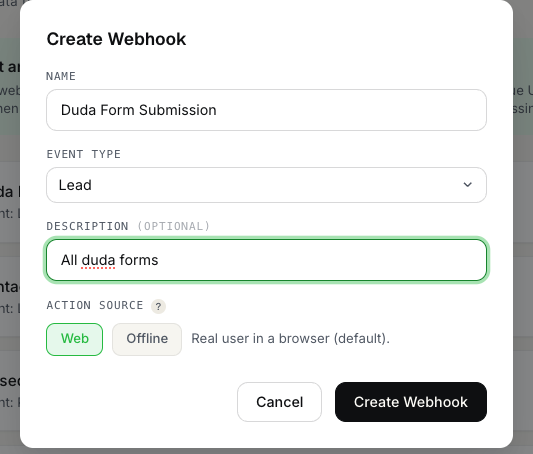
Create a Web custom webhook
In FunnelTrack, go to Integrations → Custom Webhooks and create a new webhook. Choose the Webaction source — Duda submissions happen on your website, and Web endpoints stitch to the visitor's pixel session via ft_sid.
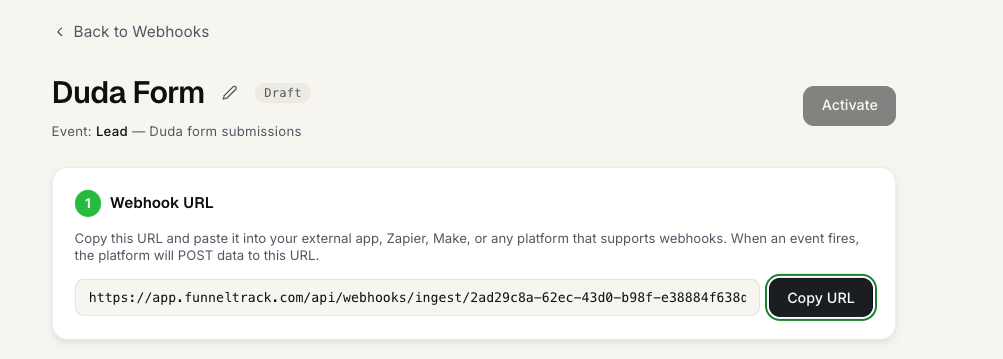
Copy the webhook URL
Copy the endpoint's URL — you'll paste it into Zapier in the next part. It contains the secret key, so keep it private.
Build the Zap
Trigger on a Duda submission, then POST it to your FunnelTrack webhook.
Trigger: Duda → New Form Submission
Create a new Zap and pick Duda as the trigger app with the New Form Submission event. Connect your Duda account and select the site.
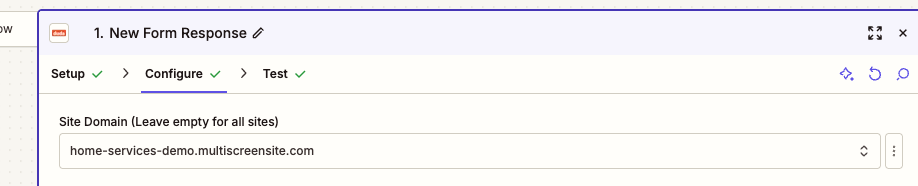
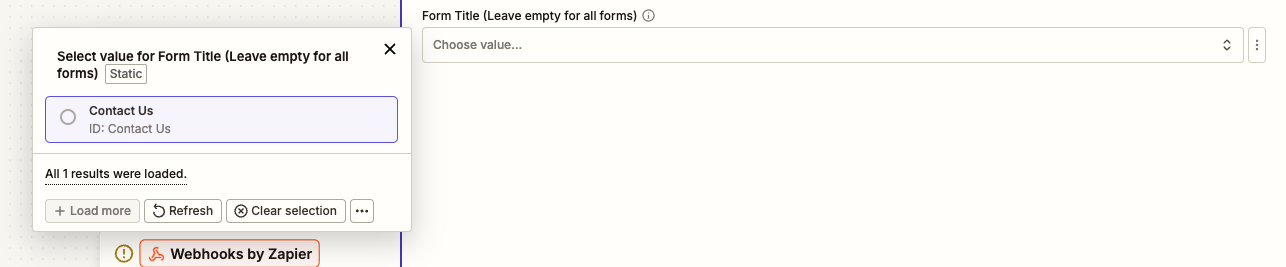
Choose the form you want to track, then pull in a test submission (the one you submitted at the end of the last part). To track all Duda forms on your chosen site, leave the form selection blank.
Action: Webhooks by Zapier → POST
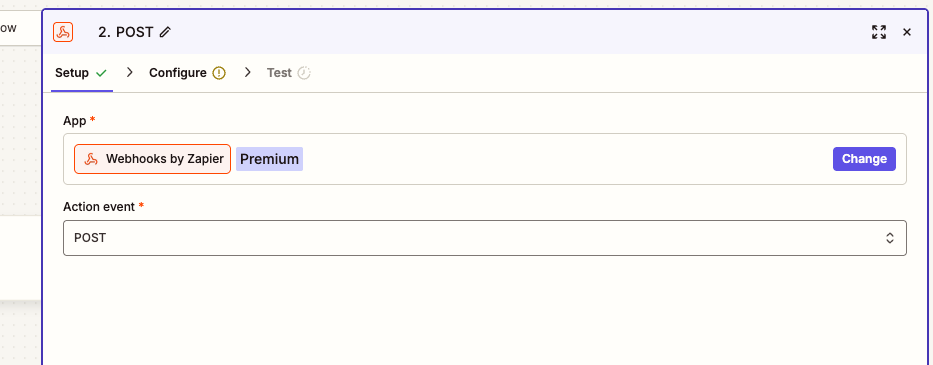
Add an action step, choose Webhooks by Zapier, and select the POST event.
Set the URL and payload type
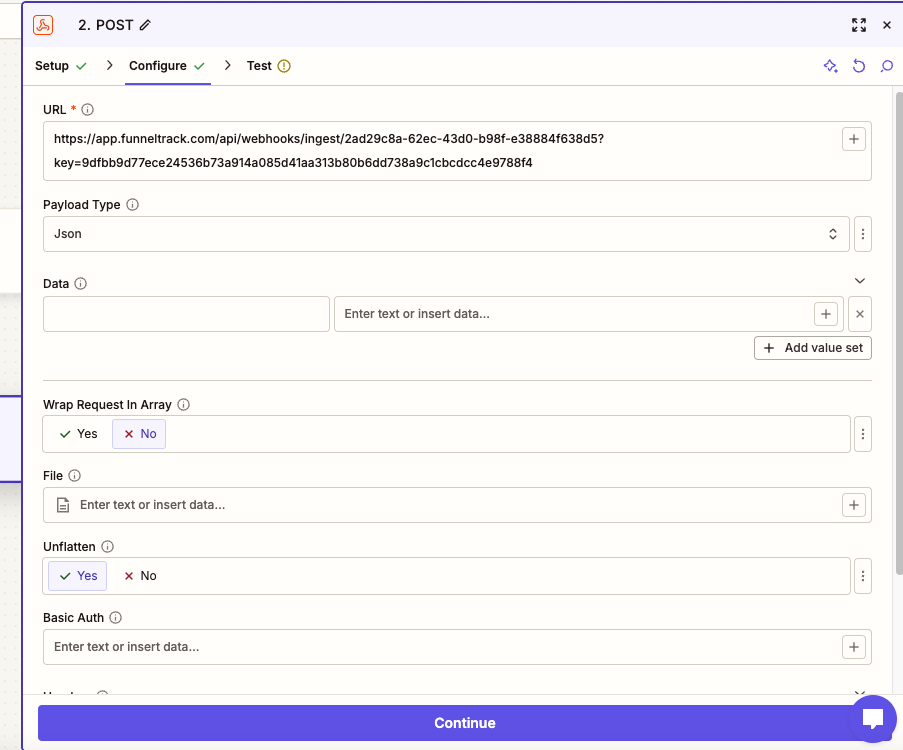
Paste your FunnelTrack webhook URL into the URL field and set Payload Type to JSON.

Test the action
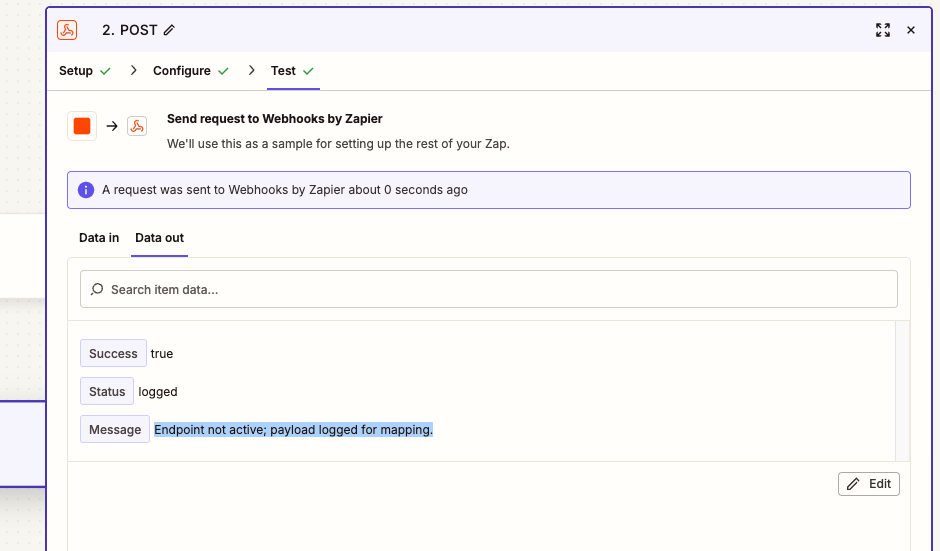
Run the Zap's test step to POST your test submission to FunnelTrack. A success response means FunnelTrack now has a sample payload to map.
Map fields & route in FunnelTrack
Turn the sample payload into mapped identity fields and route the event to your destinations.
Check for the sample data
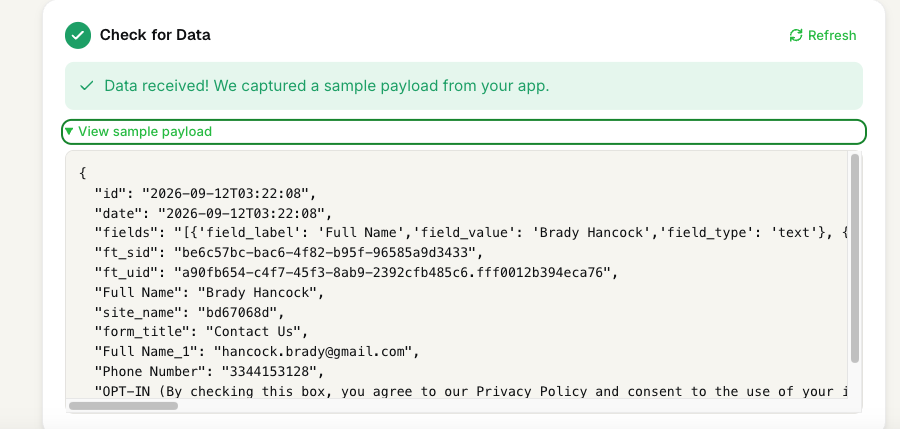
Back on the custom webhook in FunnelTrack, confirm the test payload arrived. The payload-field picker now lists every field Zapier sent (with a sample value beside each).
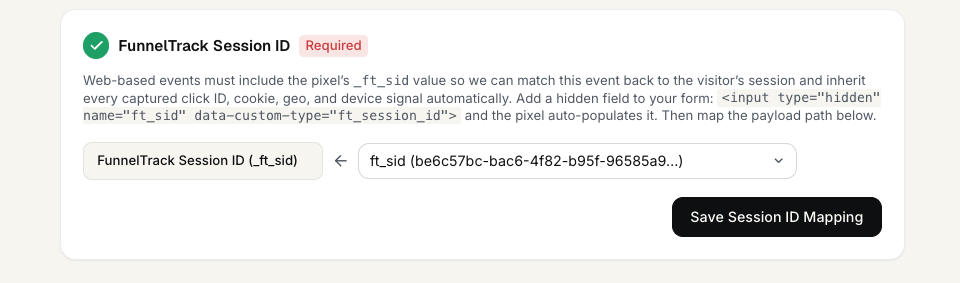
Map ft_sid to the Session ID
Map ft_sid to FunnelTrack Session ID— this is what stitches the submission to the visitor's pixel session and inherits its click IDs and attribution.
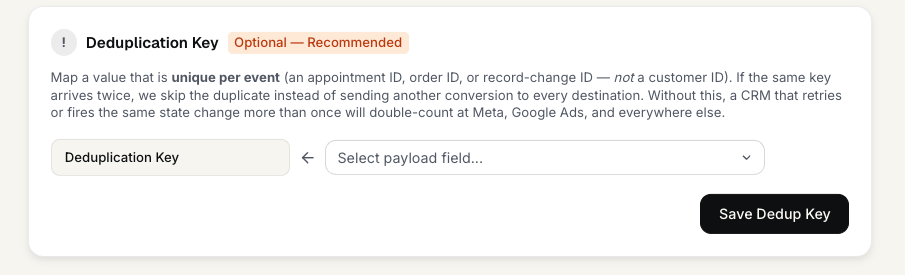
Leave the dedup key empty
Duda / Zapier fires one clean submission per entry, so you don't need a deduplication key — leave that field empty.
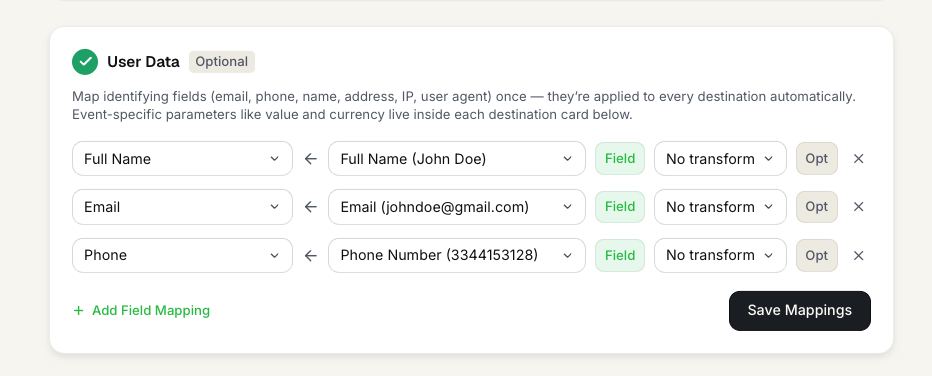
Map your User Data
Under User Data, map Full Name, email, and phonefrom the Duda payload. FunnelTrack splits Full Name into first + last automatically, and the picker shows each field's sample value so you can confirm you've matched the right one.
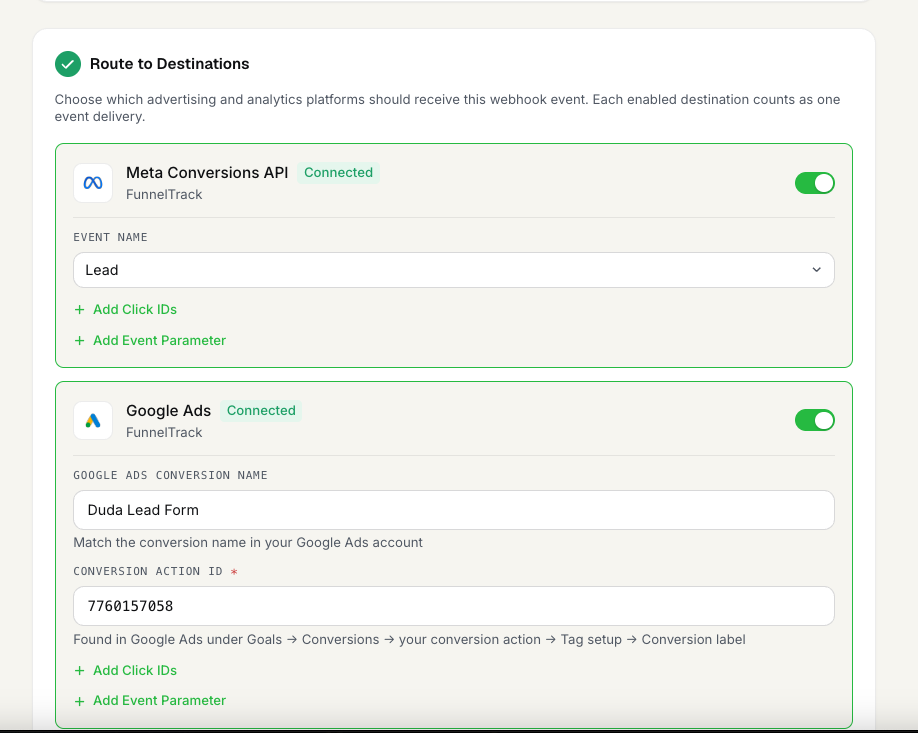
Configure routing & save
Choose which ad platforms should receive this event, set each destination's event name, and save your configuration.
Activate
Turn the webhook and the Zap on so live submissions flow.
Activate the webhook
Set the FunnelTrack webhook to Active so it processes incoming events instead of just logging them.

Turn the Zap on
Publish / turn on your Zap in Zapier. Every new Duda submission now flows through Zapier into FunnelTrack and out to your destinations.

Verify in your logs
Submit a live test entry, then open the Event Delivery Log in FunnelTrack. You should see an IN row for your webhook (received), plus an OUT row per destination showing the dispatched conversion marked delivered.

Need a hand? Back to Help.