
Connect Gravity Forms & set up form-submission tracking
FunnelTrack replaces your client-side Meta, Google, and TikTok pixels by capturing Gravity Forms submissions server-side via webhook and matching them back to a visitor's ad session through the FunnelTrack pixel. The result: every form submission you fire to your ad platforms is enriched with the original click ID, identity data, and session context — and none of it depends on the browser staying cooperative.
- •A Gravity Forms Elite or Nonprofit license (required for the Webhook Add-On)
- •Admin access to your WordPress site
- •The FunnelTrack pixel deployed on every page of your funnel
- •At least one connected destination (Meta CAPI, Google Ads, etc.)
- •About 15 minutes per form
Setup
Wire Gravity Forms to FunnelTrack, then configure each form's submissions per destination.
Install & enable the Gravity Forms Webhook Add-On
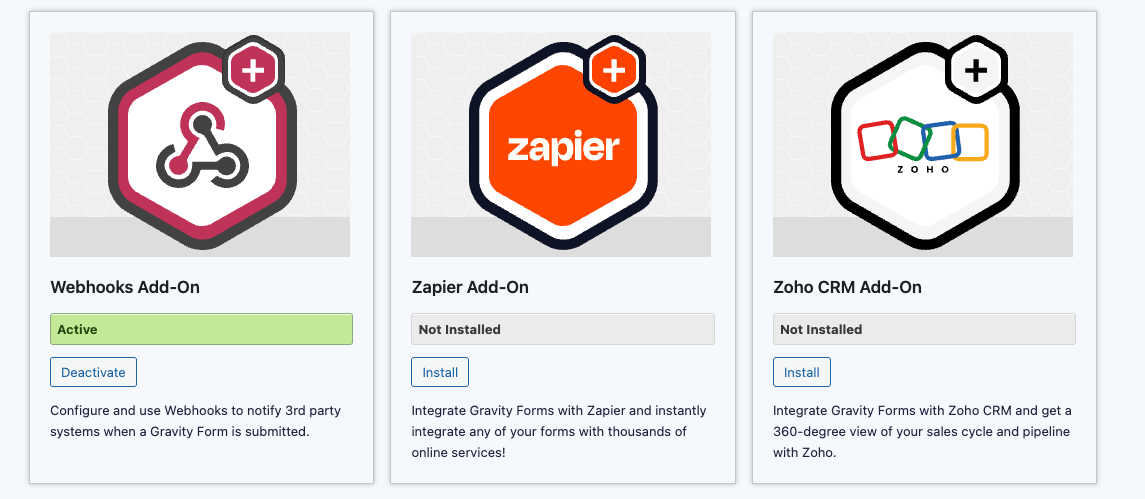
In WordPress, go to Forms → Add-Ons and find the Webhooks Add-On. Click Install, then Activate.
Grab your FunnelTrack Gravity Forms webhook URL
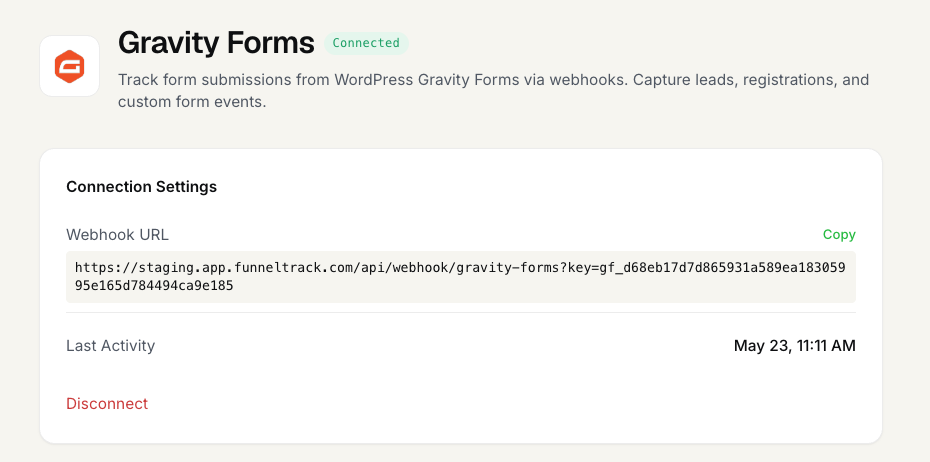
In FunnelTrack, open Integrations → Sources → Gravity Forms. Copy the Webhook URL shown on the connection page — this is the single endpoint every form in your workspace will post submissions to.
Add the FunnelTrack pixel to your site
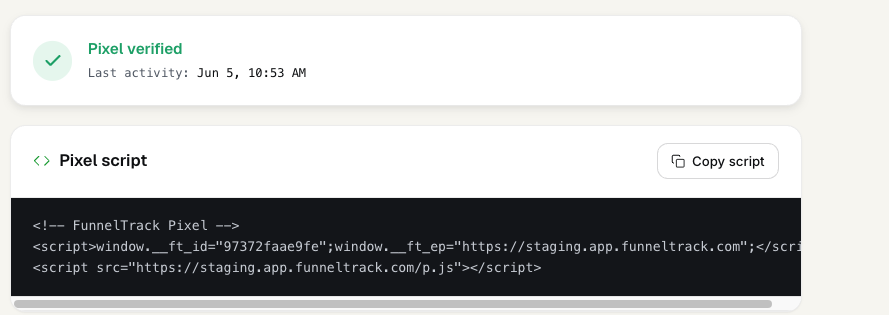
From the Pixel section of FunnelTrack, copy your pixel snippet and deploy it on every page of your site — including landing pages, form pages, and thank-you pages.
Find your form's ID in Gravity Forms
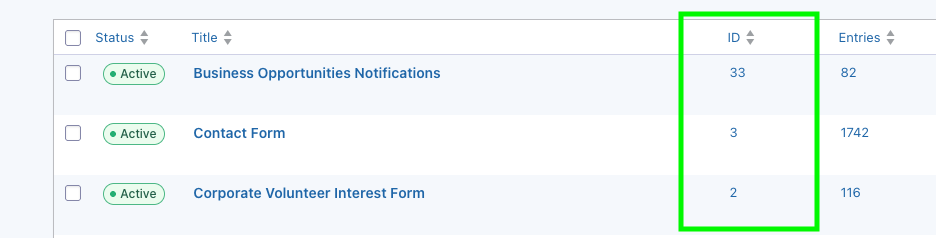
Tracking is set up per-form, so you'll need to know the ID of each form you want to track. In WordPress, go to Forms → Forms — the ID column shows the number for each form.
Add the FunnelTrack webhook to your form
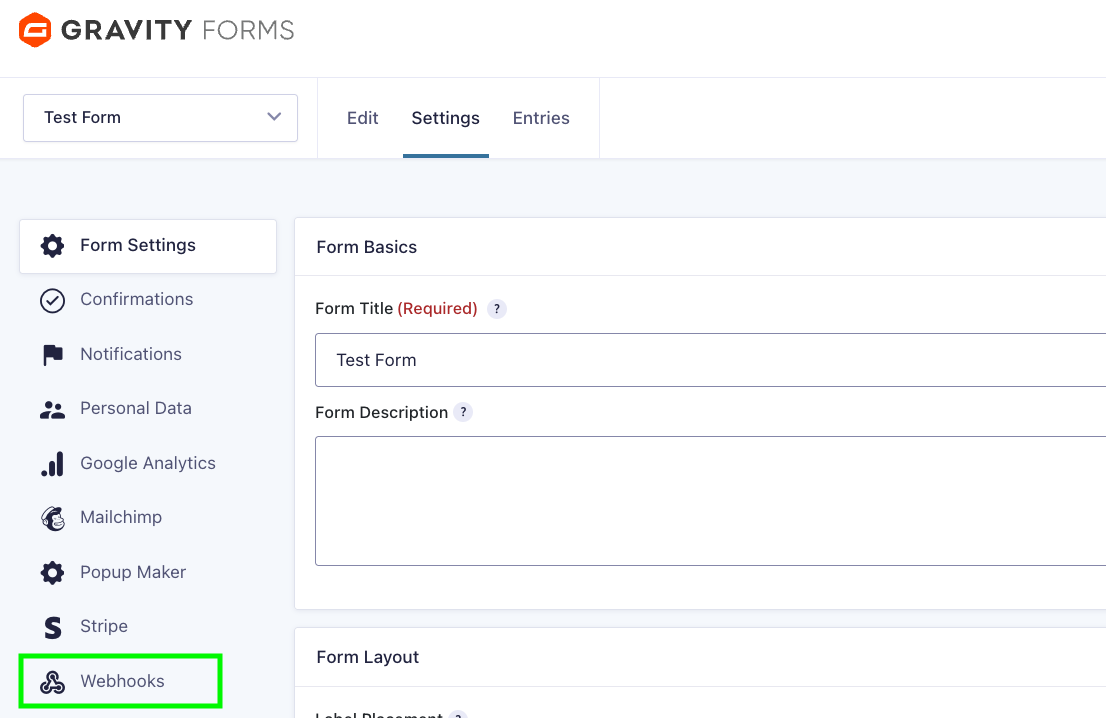
Open the form you want to track and go to Settings → Webhooks. Click Add New.
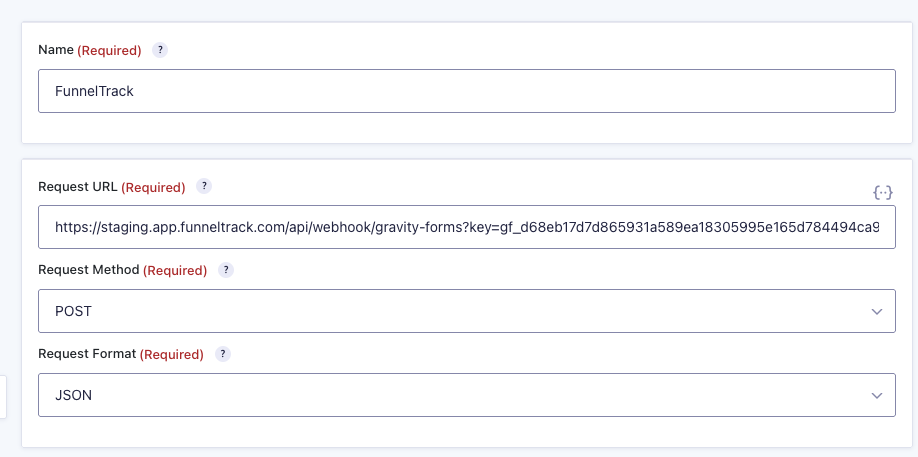
Fill in the webhook with these exact values:
- •Request URL — paste the FunnelTrack webhook URL from step 2
- •Request Method —
POST - •Request Format —
JSON - •Request Body —
All Fields
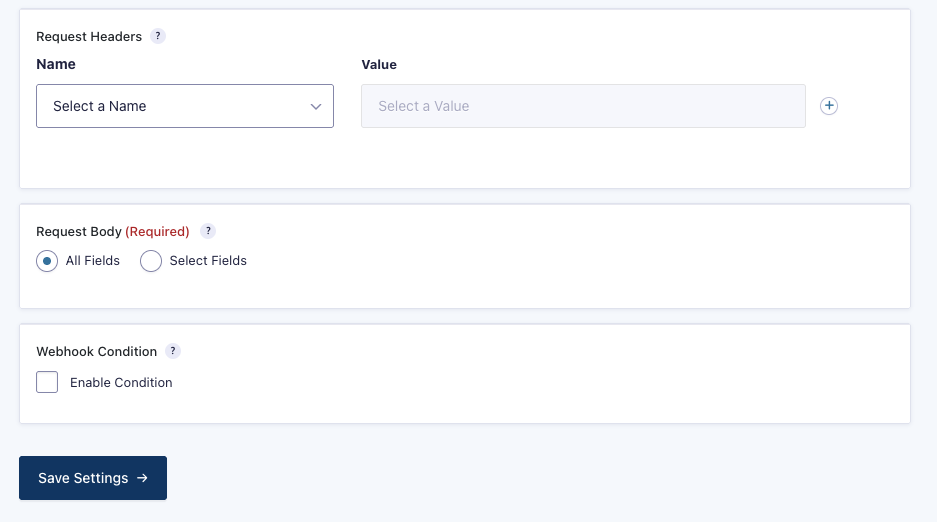
Save the webhook, then submit a test entry on the form so FunnelTrack has a payload to work with in the next step.
Add a form-submission event in a connected destination
In FunnelTrack, open a connected destination's routing page (e.g., Gravity Forms → Meta Conversions API). Click Add Event, enter the form ID from step 4, then click Find Submissions. FunnelTrack will pull the most recent submissions for that form ID and show you every discovered field.
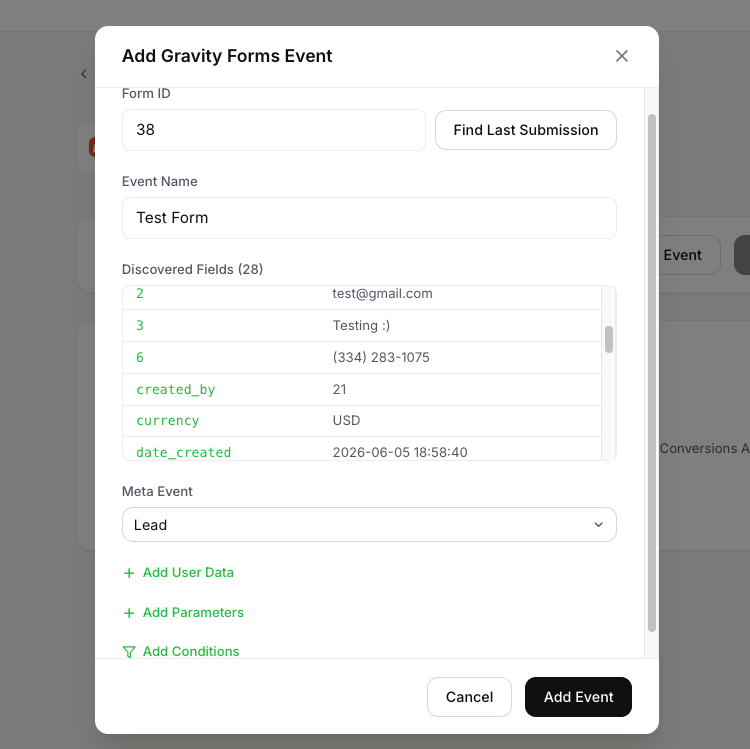
Once the fields are discovered, give the event a destination name. For Meta that's a standard event like Lead or CompleteRegistration; for Google Ads that's a conversion action; or you can use a custom event name.
(Optional) Map event parameters
Two kinds of parameters can be mapped on the event:
- •Event Parameters — static values you type in (e.g.
currency: USD) or dynamic values pulled from form fields (e.g.valuefrom a budget field). These are sent to the destination as standard or custom event parameters. - •User Data Parameters — FunnelTrack auto-captures email, phone, name, and address fields from the form submission. If your form collects identity data for multiple people (e.g. a referral form with the referrer's and referee's emails), use the User Data section to manually map which form field is the primary contact for matching.
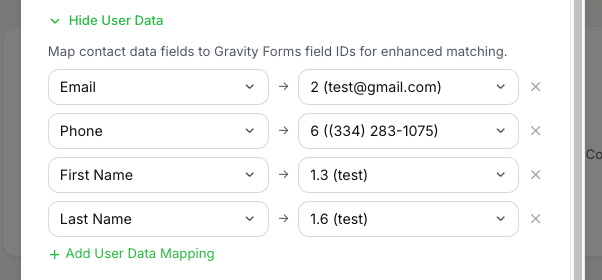
(Optional) Set event conditions
Use the Conditions section to fire the event only when the submission matches certain criteria — for example, only count a pricing-form submission as a lead when the budget field is over $5,000.
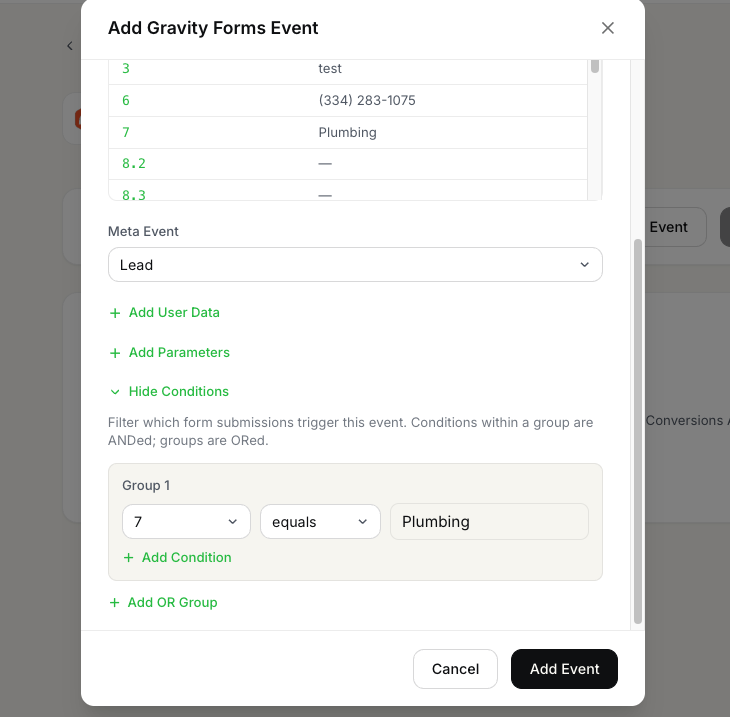
Test & deploy
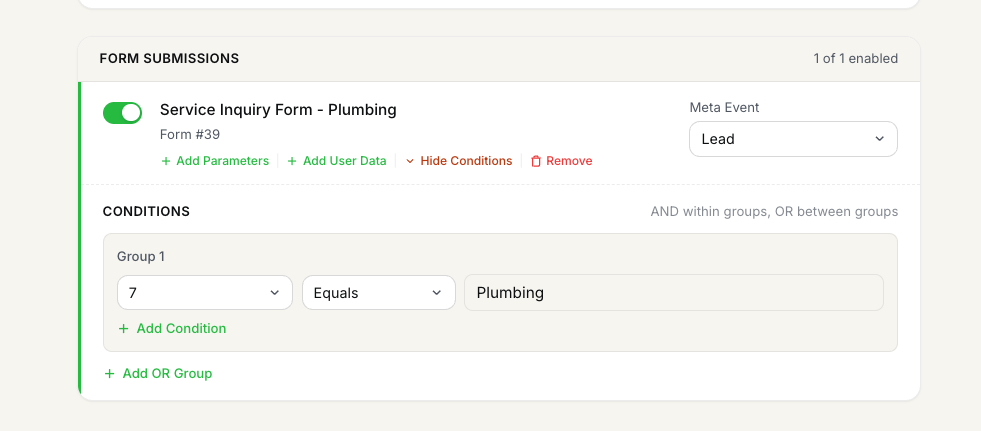
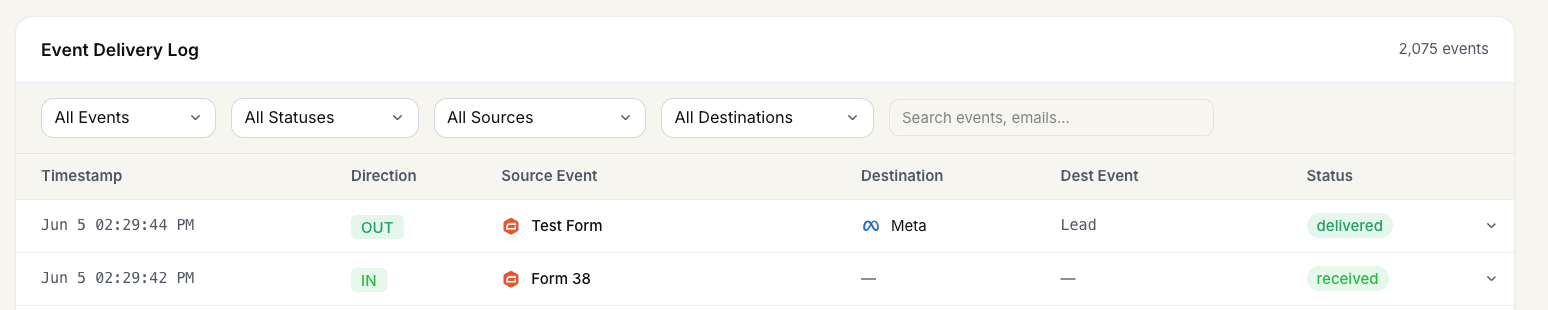
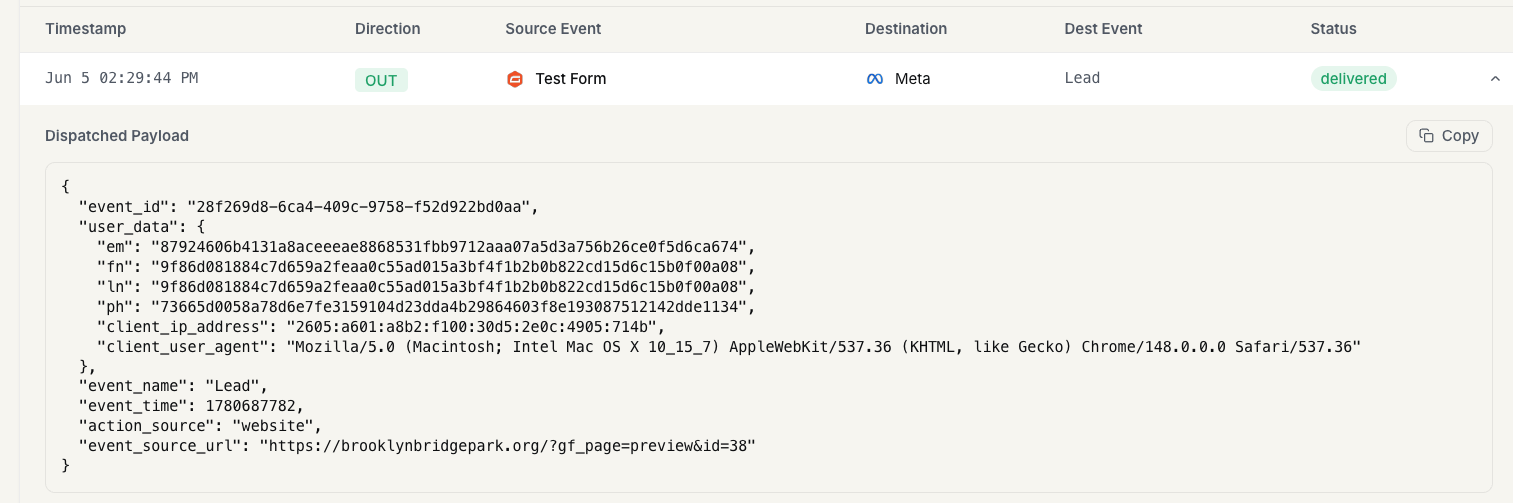
Save the event card. Submit a final test entry on the form — the saved card on the routing page shows the event as configured, the inbound usage log shows Form {{ID}} (e.g. Form 38), and the outbound log shows the destination event name dispatched.
Notes & best practices
A few things worth knowing before you scale this across every form on your site.
- •Tracking is set up per-form. If you have 5 lead-gen forms, each one gets its own event card in FunnelTrack. The form ID is what discriminates submissions on the FunnelTrack side.
- •Match quality depends on the pixel being present. Submissions are matched to a visitor's pre-submission FunnelTrack session using IP + user-agent fingerprinting plus email/phone history. Best match rates happen when the FunnelTrack pixel was already loaded on the page the form lives on.
- •The Webhook Add-On requires Elite or Nonprofit. This is non-negotiable on Gravity Forms' side — there's no workaround in FunnelTrack.
- •One webhook URL, many forms.Your workspace has a single FunnelTrack webhook URL. Use the same URL for every form — just point each form's webhook config at it. FunnelTrack uses the form ID inside the payload to route it to the right event config.
Events we support
What Gravity Forms can send to FunnelTrack out of the box.
Gravity Forms ships one event type through the webhook add-on: a form submission. FunnelTrack receives the full submission payload and discovers every field the form contains, so you can map any of them to event parameters or user data on the destination side.
Unlike pre-defined source events (e.g. ClickFunnels' PageView or Purchase), there's no fixed event catalog here — each form's submission is the event, and the form ID is the discriminator FunnelTrack uses to route it to the right destination config.
Common tracking examples
A few patterns most FunnelTrack accounts end up running.
- •Lead form on a landing page → Meta Lead. A straightforward form-submission → Meta
Leadmapping with email and phone mapped under User Data. This is the highest-volume use case and recovers the conversions Meta's client-side pixel was losing. - •Multi-step form → Meta Lead + Google Ads Lead conversion. Same form, two destinations. Create one event card under Gravity Forms → Meta and another under Gravity Forms → Google Ads, both pointing at the same form ID.
- •Pricing form with conditions → only fire if budget > $5k. Use the Conditions section to gate the event behind a budget-field check so low-intent submissions don't pollute your paid-ad reporting or skew downstream bid optimization.
FAQs
Ready to set it up?
Jump straight into your FunnelTrack workspace and start wiring up your first form.
Configure your Gravity Forms integration →Need a hand?
If anything in this guide didn't match what you're seeing in Gravity Forms or FunnelTrack, open a support ticket in your dashboard and we'll get you sorted.